
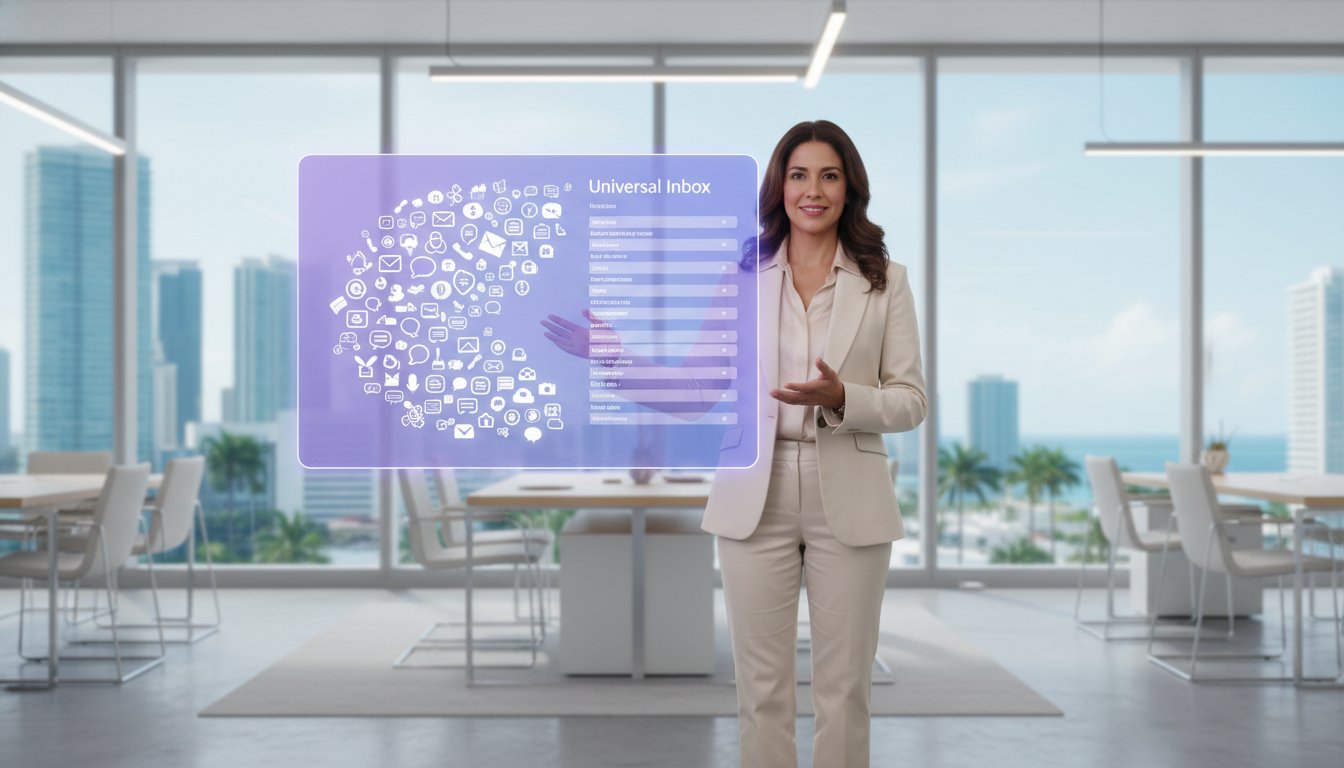
Unified Messaging Systems: A Guide to Your Universal Inbox
Imagine starting your Monday morning without the frantic ritual of checking five different apps just to see if a client reached out. You likely know the frustration of digging through your phone for a missing voicemail while an old fax machine hums in the corner and your team chat pings relentlessly. It's exhausting to feel like you're constantly chasing conversations instead of leading them. Most business owners agree that communication has become a scattered mess that eats away at productivity. You shouldn't have to play detective just to find a simple message from a customer.
By implementing unified messaging systems, you can finally reclaim your time and sanity. This guide will show you how to turn that communication chaos into a streamlined universal inbox where every text, call, and video chat lives in one place. We'll explore how this technology helps you manage remote staff with ease, improves your team's response times, and keeps your business connected in 2026. You'll discover practical ways to simplify your workflow, protect your data, and empower your team to focus on what they do best.
Key Takeaways
Learn how to turn your crowded app library into a single universal inbox that collects every voicemail, text, and fax in one spot.
Discover how unified messaging systems automatically convert voice messages into audio files and faxes into PDFs so you can check them right from your business email.
Boost your team's response times by centralizing communications, making it much easier for everyone to stay on the same page.
Find out how to keep your remote staff across South Florida connected and productive by using tools that work seamlessly from any location.
Follow our simple audit process to identify where your messages are hiding and find a system that connects easily with your current email.
Table of Contents
What are unified messaging systems and why do they matter?
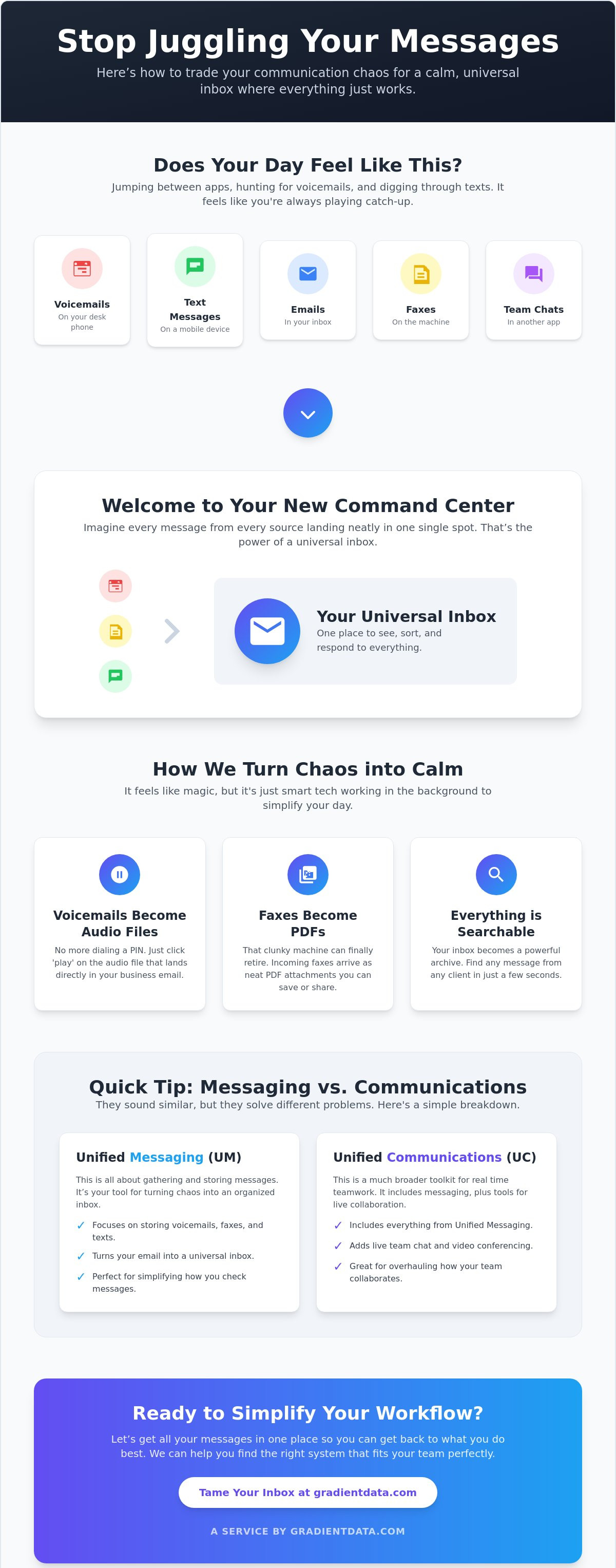
Think of your current morning routine. You likely open your email, check your office phone for voicemails, scroll through text threads, and maybe even walk over to a dusty fax machine. It's a lot of manual work for very little reward. Unified messaging (UM) changes that by acting as a single, smart collector for every piece of communication you receive. Instead of hunting through different folders and devices, everything lands right in your regular business email inbox.
By using unified messaging systems, your team can stop the constant app-switching that drains productivity. These tools capture data from every source and present it in a format you already know how to use. This setup serves as a vital bridge between your phone system and your computer, making sure no important detail ever falls through the cracks.
To better understand this concept, watch this helpful video:
This technology is especially helpful for keeping your workflow organized. When you implement unified messaging systems, you can listen to a voicemail as an audio file or read a fax as a PDF without ever leaving your screen. It turns your email into a command center where you can see, sort, and respond to every client request in seconds. You'll find that your team stays more focused when they aren't constantly interrupted by the need to check different platforms.
The difference between unified messaging and unified communications
It's easy to get these two confused, but they serve different roles in your business. Unified messaging is mostly about how you store and retrieve your messages. It focuses on gathering those voicemails and texts into one place. On the other hand, unified communications is a much broader setup. It includes those same messaging features but adds real time tools like video conferencing and live team chat.
If you just want to simplify your inbox, messaging is your primary focus. If you want to overhaul how your team talks in real time, you might look into full VoIP solutions. We explain these terms so you can choose the path that makes the most sense for your specific goals.
How unified messaging systems work to simplify your day
The mechanics of unified messaging systems are surprisingly simple for the user, even though there is a lot of complex work happening in the background. When a client leaves you a voicemail, the system captures that audio and instantly routes it to your email as a playable attachment. You don't have to dial into a mailbox or remember a PIN. Similarly, incoming faxes are automatically turned into PDF files. This allows you to read, save, and organize them just like any other digital document on your computer.
Text messages from your business line also integrate directly into this same view. Instead of checking a separate mobile device, you can read and reply to texts right next to your emails. Because these systems live in the cloud, everything stays in sync across your smartphone, office laptop, and home tablet. If you read a message on one device, it shows as read on all of them. This level of Productivity with Unified Communications helps your team reclaim hours every week that were previously lost to manual message management.
Turning sounds and faxes into easy digital files
Automation is the engine that drives this convenience. By converting audio and image data into standard digital formats, your inbox becomes a searchable archive. You can search for a client's name and find every voicemail or fax they've ever sent you. This makes it incredibly easy to forward a specific recording or document to your entire team for a quick collaborative response. If you're looking to modernize your office hardware, exploring VoIP solutions is a great first step toward this digital transition.
Keeping your client history in one organized place
Modern systems often link directly with your customer relationship management tools to create a seamless history of every interaction. When a client calls, your team can see their entire messaging history on one screen. This eliminates the need to ask repetitive questions and helps you provide a much more personal experience. You'll find that your staff feels more confident and your customers feel more valued when every conversation is backed by a complete, organized digital record.
The real world benefits for your Miami business
Operating a business in Miami brings unique challenges, from the fast pace of the local market to the seasonal shifts in our weather. When you implement unified messaging systems, you give your team a significant advantage by centralizing every client interaction. Instead of losing time checking different devices, your staff can respond to inquiries almost instantly. This speed doesn't just improve your internal workflow; it builds immense trust with your clients who expect quick, professional answers.
Beyond speed, there is a clear financial benefit to this digital shift. You can finally stop paying for dedicated fax lines and the maintenance of bulky hardware. By moving your communications to the cloud, you reduce your overhead while gaining a much more reliable system. Your messages live safely in a digital environment, ensuring that your business history remains intact even if your physical office faces an unexpected issue. If you want to see how these tools fit into a broader strategy, our team can help you with tailored managed IT services that grow with your company.
Supporting your hybrid team in South Florida
Many local businesses now rely on a mix of office and remote work. Unified messaging makes it easy for your staff to stay productive whether they are working from home or a cafe in Coral Gables. Since everyone sees the same message threads in real time, you don't have to worry about two people answering the same client text or missing a voicemail. For more advice on keeping your staff connected, check out our guide on modern VoIP solutions.
Staying connected during hurricane season or travel
We all know that South Florida weather can be unpredictable. If a storm forces your physical office to close, your unified messaging systems ensure that your business stays open in the digital world. You can access your universal inbox from any location with an internet connection. With just a few clicks, you can redirect calls and messages to your mobile device, allowing you to maintain a professional presence even during a power outage or while you're traveling for business. This level of continuity is essential for protecting your reputation and keeping your operations running smoothly year-round.
Choosing and setting up the right system for your team
Before you jump into a new software purchase, take a moment to audit your current communication habits. You might find that important client messages are hiding in places you didn't expect, like individual staff cell phones, forgotten text threads, or that old office fax machine. Identifying these gaps helps you understand exactly what your new universal inbox needs to solve. Once you know where the leaks are, you can look for unified messaging systems that bridge those specific gaps without adding unnecessary complexity to your day.
Your new platform should fit perfectly with your current email provider and industry workflow. If your team already lives in Outlook, choosing a system that integrates with Microsoft 365 will make the transition much smoother. After you've picked the right tool, prioritize training your staff on how to use the universal inbox effectively. A tool is only valuable if everyone uses it consistently, so show your team how it saves them time and prevents them from missing important client details.
Finding the right fit for your specific industry
Every business has different needs, but some sectors require a bit more care. For example, healthcare and legal firms need extra layers of security to handle sensitive client data properly. When looking at unified messaging systems, make sure the platform offers strong encryption and helps you stay compliant with your industry regulations. If you need help navigating these technical requirements, you can learn more about our managed IT services in Miami to get your setup right from the start.
Why a local partner makes the transition easy
Working with a local team means you get support that understands the unique pulse of Miami business. We can help you integrate powerful Microsoft Teams features into your new communication strategy, ensuring your voice and data systems work together perfectly. Having an expert partner just a short drive or a quick phone call away provides the reassurance you need during a technical transition. We handle the heavy lifting of the installation so you can focus on running your business with a clear, organized inbox.
Take the first step toward a simpler business day
You've discovered how moving away from scattered apps can transform your daily workflow. By bringing your voicemails, texts, and faxes into a single universal inbox, you can finally focus on growing your business instead of just managing it. These unified messaging systems are more than just a convenience. They represent a strategic way to ensure your team never misses a beat, regardless of where they are working in South Florida. When your communication is organized, your entire team can respond with more confidence and speed.
Our local Miami support team is ready to help you navigate this technical transition with ease. We bring specialized expertise in healthcare and finance compliance to every project, ensuring your data remains locked down and secure at all times. With our proactive 24/7 network monitoring, you can rest easy knowing your communications are always protected and running smoothly. You don't have to handle the heavy lifting of IT management on your own.
Let us help you simplify your business communications today. You deserve a system that works as hard as you do, and we are excited to be your partner in this digital transformation. Taking the first step toward a more organized office is easier than you think, and we're here to guide you through every part of the process.
Frequently Asked Questions
What is the main difference between unified messaging and regular email?
Regular email is designed to handle text and attachments sent to your specific address, while unified messaging gathers every type of communication into that same space. It's about turning your voicemails and faxes into digital files so you can manage them without leaving your inbox. This setup allows you to see everything at once instead of checking three or four different devices.
Do I need to buy new phones to use a unified messaging system?
You usually don't need to purchase any new hardware to get started. Most of these systems work perfectly with the smartphones and computers your team already uses every day. If you have older office phones, we can often bridge them to the new software using cloud technology, which saves you the cost of a full equipment overhaul.
Is it safe to have all my business messages in one place?
Yes, it is very safe as long as the system is set up with modern security standards. These platforms use encryption, which is a method of scrambling your data so only authorized users can read it. We also implement multi-factor authentication to ensure that only your team can access the universal inbox, even if someone manages to guess a password.
Can I use unified messaging with my current Microsoft Outlook or Gmail?
You can absolutely use unified messaging systems with the email tools you already know and love. Most modern platforms are designed to plug directly into Outlook or Gmail so you don't have to learn a brand new program. This integration makes it much easier for your team to adopt the new system since it lives right where they already work.
By connecting these tools, you ensure that your team stays productive without the frustration of switching between tabs. It's a simple way to modernize your office while keeping your favorite software in place.
How much time can my team actually save by switching to this system?
While every business is unique, many teams find they save several hours every week just by removing the need to check multiple apps. When you centralize your communications, you eliminate the constant interruptions of hunting for a specific voicemail or fax. This allows your staff to stay focused on their primary work and respond to client needs much faster than before.

Article by
Jose Noriega